

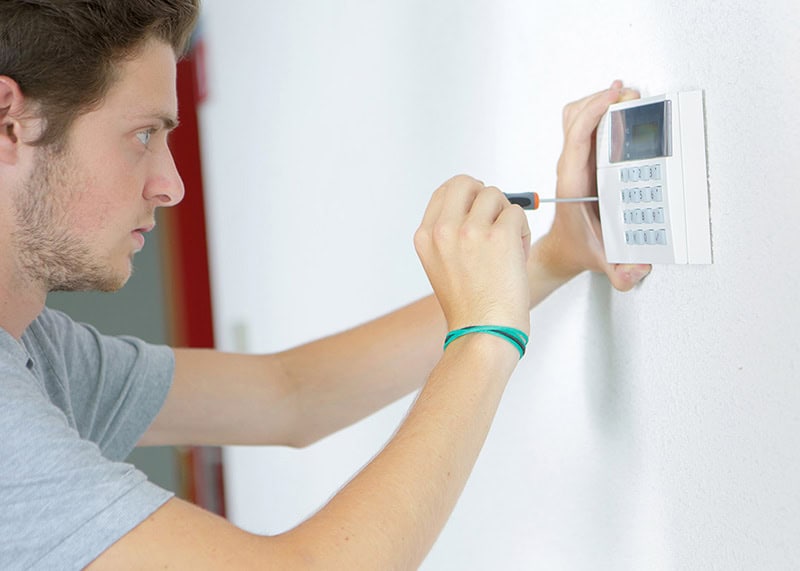
Is your thermostat acting up, leaving your home uncomfortably hot or cold? A malfunctioning thermostat can be frustrating, but often the problem is something you can fix yourself. Before you worry about a costly repair, let’s walk through common thermostat issues and how to troubleshoot them. This guide from Bolton Heating & Air will help you diagnose the problem, try easy fixes, and know when it’s time to call in the professionals.
My Thermostat Screen is Blank or Unresponsive – What Do I Do?
A blank or unresponsive thermostat screen is a top concern for homeowners. Here’s what might be happening and how to address it:
- Check for Dead Batteries: Many digital thermostats are battery-powered. If your screen is blank, dim, showing scrambled numbers, or a low battery icon, this is the simplest first step.
- How to Fix: Carefully remove the thermostat cover (it usually snaps off or has small screws). Replace the old batteries with new ones, ensuring correct polarity.
- Tripped Circuit Breaker: Your thermostat, even if battery-assisted for memory, often gets its main operational power from the HVAC system, which is connected to your home’s electrical panel.
- How to Fix: Locate your electrical panel. Look for a circuit breaker labeled “HVAC,” “Furnace,” “Air Conditioner,” or similar. If it’s tripped (usually in the middle position or showing an orange/red indicator), turn it fully OFF and then back ON. If it trips again immediately, don’t reset it again – call Bolton Heating & Air or a qualified electrician as there might be a more serious electrical issue.
- Loose Wiring or Power Interruption (Use Caution):
- Sometimes, the issue can be with the wiring connections either at the thermostat or at the HVAC unit itself.
- What to Look For (Power OFF): If you’re comfortable, turn OFF the power to your HVAC system at the circuit breaker. Remove the thermostat cover and visually inspect for any obviously loose wires or corroded terminals.
- Safety First: If you see signs of burning, melted plastic, or complex wiring you’re unsure about, do not attempt to fix it yourself. Contact Bolton AC for professional thermostat repair.
Why is My Thermostat Reading the Wrong Temperature or Causing Uneven Heating/Cooling?
If your thermostat display works but the temperature feels off, or some rooms are hotter/colder than the thermostat setting (by 3-5 degrees or more), consider these factors:
- Is Your Thermostat Dirty? (Yes, Dust is a Culprit!) Over time, dust and debris can settle inside your thermostat, especially on the temperature sensors. This buildup can insulate the sensors, leading to incorrect temperature readings (sometimes off by as much as 5°F) and preventing your HVAC system from getting the right commands.
- Signs of a Dirty Thermostat: System behaving erratically, slow to respond to temperature changes, or uneven temperatures.
- How to Clean It (Carefully!):
- Turn off the power to your HVAC system at the circuit breaker. This is crucial for safety.
- Gently remove the thermostat cover.
- Look for visible dust or grime on the internal components.
- Use a very soft brush (like an artist’s paintbrush) or a can of compressed air (held upright, used in short bursts) to gently clean away the dust. Avoid touching delicate metal coils or wires directly. Regular, gentle cleaning can prevent these issues. For a deeper clean or if you’re unsure, it’s best to call Bolton.
- Thermostat Placement: Is It in the Right Spot? Where your thermostat is located dramatically impacts its performance. It needs good air circulation, away from direct heat/cold sources, and at the right height to read the room’s average temperature.
- Avoid Hot or Cold Spots: Don’t install it in direct sunlight, near heating/cooling vents, lamps, TVs, kitchen appliances, or in drafty hallways. These can trick the thermostat.
- Ideal Height: Mount it about 52-60 inches (around 4.5 to 5 feet) from the floor.
- Interior Walls are Best: Exterior walls are affected by outside temperatures. If your home’s temperature fluctuates significantly, check your thermostat’s location.
- Calibration Issues: If you place a reliable room thermometer next to your thermostat (about 3 feet away for an hour) and there’s a consistent, significant difference, your thermostat might need calibration (if possible with your model) or replacement.
My HVAC System Turns On and Off Too Often (Short Cycling) – Could it be the Thermostat?
Yes, if your heating or cooling system cycles on and off frequently and erratically (known as short cycling), your thermostat might not be sensing the temperature correctly or could have an internal fault. This can also be caused by:
- A dirty thermostat (as mentioned above).
- Poor thermostat placement.
- An oversized HVAC unit (a separate issue, but the thermostat might misinterpret conditions).
- Sometimes, a failing thermostat can send erratic signals.
Basic Thermostat Settings & Quick Checks to Try First
Before diving deeper, ensure these basics are covered:
- Check Settings:
- Is it set to “Heat” or “Cool” as desired?
- Is the fan set to “Auto” (recommended) or “On”? If “On,” the fan will run constantly.
- Is the temperature setpoint correct?
- Power Cycle the System:
- Turn the thermostat to the “Off” position.
- Turn off the HVAC system’s power at the circuit breaker.
- Wait 5 minutes.
- Turn the circuit breaker back on.
- Turn the thermostat back to “Heat” or “Cool.”
- Check for Loose Wires (Power OFF!): As mentioned in the “Blank Screen” section, carefully check for obviously loose connections inside the thermostat with the power off.
- Is it Level? Older, non-digital thermostats (with a mercury vial) must be perfectly level to function correctly.
Thermostat Maintenance for Reliable Performance
Regular care can prevent many common issues:
- Gentle Cleaning: Regularly wipe the outside with a soft cloth and carefully dust the inside (power off!) as described earlier.
- Ensure Good Airflow: Monthly, check that vents aren’t blocked by furniture or curtains. Change your HVAC air filter regularly (a clogged filter strains your system and impacts temperature).
- Replace Batteries Annually: If battery-operated, change them yearly, even if they seem okay. Low batteries cause erratic behavior before they die completely.
How Do I Know if My Thermostat is Broken and Needs Replacement?
It can be tricky to know if a repair will suffice or if it’s time for a new thermostat. Consider replacement if:
- Age: Most thermostats have a lifespan of about 10-12 years. If yours is older and problematic, replacement is often wise.
- Frequent Problems & Inaccuracy: You’re constantly adjusting it, it often gives incorrect temperature readings (consistently off by more than ±2-3 degrees despite cleaning/placement checks), or the buttons/dial are unresponsive.
- Cost of Repair vs. Replacement: If a repair is complex or expensive, investing that money in a new, more efficient model is often better.
- Outdated Features: Older mechanical thermostats are inefficient. Upgrading to a programmable thermostat can save significantly (up to 23% by some estimates) on heating and cooling costs. Smart thermostats offer even greater control, learning capabilities, and remote access.
- Multiple Service Calls: If you’ve called a technician multiple times for thermostat-related issues for your current unit.
- Display Issues Persist: The screen remains blank, shows scrambled numbers, or the backlight isn’t working after trying battery changes and power checks.
- Slow to Respond: You adjust the temperature, but it consistently takes 15 minutes or longer for the HVAC system to react.
When to Call Bolton for Professional Thermostat Help
While these DIY tips can solve many issues, don’t hesitate to contact a certified HVAC technician at Bolton if:
- You’ve tried these troubleshooting steps, and the problem persists.
- You’re uncomfortable working with wiring or electrical components.
- You suspect the issue is more complex, like a problem with the HVAC unit itself, not just the thermostat.
- Your circuit breaker trips repeatedly.
- You see signs of burning, corrosion, or damage to wires.
- You want to upgrade to a new programmable or smart thermostat and need professional installation.
The experts at Bolton Heating & Air are ready to diagnose your thermostat problems, recommend the best solutions, and ensure your home comfort system is working efficiently. Contact us today at (214) 909-7615 or schedule service online!